

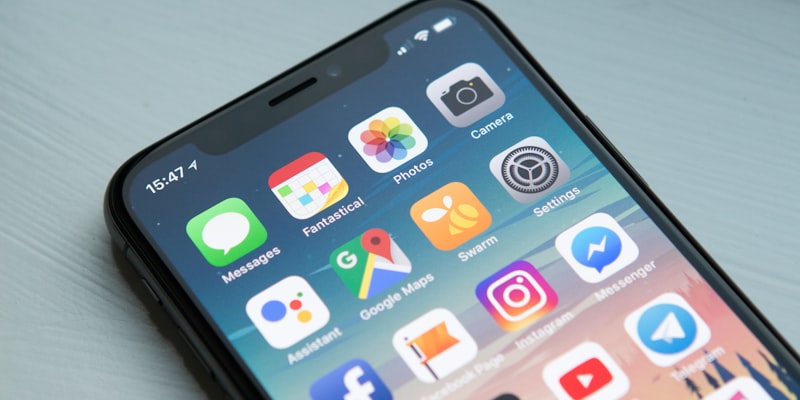
In 2026, five apps stand out as particularly useful for seniors: WhatsApp for communicating with loved ones, the NHS App for managing your health, Citymapper for getting around, Facebook Marketplace for buying and selling easily, and your banking app for managing your finances securely. These free or low-cost apps transform your smartphone into a genuine personal assistant.
According to Ofcom, over 80% of UK seniors now own a smartphone in 2026, compared with around 55% in 2020. This digital revolution opens up tremendous opportunities for staying connected, independent and safe.
Transparency: this article may contain affiliate links to Amazon.co.uk. If you buy through these links, we receive a small commission at no extra cost to you. This helps us continue producing free, quality content.
Why Have Apps Become Essential for Seniors?
The digital world is no longer reserved for younger generations. Mobile apps now offer practical solutions to everyday challenges:
Staying in touch with your loved ones, even if they live far away. Geographic distance no longer means social isolation. You can see your grandchildren on video every week, share photos instantly and actively participate in family life.
Managing your health effectively without unnecessary travel. Book doctor appointments in a few clicks, view your test results, and keep an eye on your health data.
Maintaining your independence by getting around confidently, managing your shopping or banking without depending on someone else.
Research shows that seniors who regularly use digital apps feel significantly more autonomous and less socially isolated.
App No. 1: WhatsApp — Simplified Family Communication
Why Does WhatsApp Dominate Among Seniors?
WhatsApp remains the preferred messaging app for UK seniors in 2026, with millions of users over 60. Its strength? Disarming simplicity and massive adoption that guarantees your loved ones already use it.
The Essential Features for You
Free video calls: See your grandchildren in real time, wherever they are in the world. Video quality has improved considerably, even with a modest internet connection. No need to pay for expensive international calls.
Family groups: Create a group with your whole family to share important moments. Birthdays, holiday photos, organising family meals… everything is centralised in one place.
Voice messages: Not comfortable with the keyboard? Press the microphone and speak. Your message is sent instantly. It is like leaving a voicemail, but better.
Location sharing: Very practical during walks or to reassure your loved ones. In one tap, they know where you are.
Easy Setup in 3 Steps
- Download WhatsApp free from Google Play Store or Apple App Store
- Enter your phone number (you will receive a confirmation code by text)
- Add your contacts by importing your phone book
Security tip: Enable two-step verification in Settings > Account > Two-step verification. This protects your account against hacking.
Key Facts
- Completely free, no subscription
- Works on WiFi or with your mobile plan
- Used by the vast majority of families to communicate across generations
App No. 2: NHS App — Your Health at Your Fingertips
The Revolution in Healthcare Management
Gone are the endless phone calls to get a doctor’s appointment. The NHS App has transformed healthcare management in the UK with access to GP services, prescriptions and medical records.
What the NHS App Actually Gives You
24/7 appointment booking: At 10pm on a Sunday evening, you realise you need to book a GP appointment? No problem. Check availability and book in 2 minutes, even in the middle of the night.
Automatic reminders: You receive notifications about upcoming appointments. No more writing on paper that you might lose.
Prescription management: Order repeat prescriptions directly through the app without needing to call the surgery.
Medical records: Your test results, vaccinations and medical history are accessible at any time.
How to Use the NHS App Simply
- Download the NHS App from the App Store or Google Play
- Create your account and verify your identity
- Link to your GP surgery
- Browse available appointments and book
Good to know: If you have difficulties, most GP surgeries offer telephone assistance to guide you through your first booking.
Measurable Benefits
- Significantly reduced waiting time for appointments
- 100% free for all NHS patients
- Available on both iPhone and Android
- High user satisfaction rating on app stores
App No. 3: Citymapper or Google Maps — Getting Around Without Stress
The App That Transforms Your Journeys
Citymapper and Google Maps have become essential tools for public transport navigation, covering buses, trains, trams and even cycling routes to suggest the best itinerary.
Why These Apps Are Particularly Suited to Seniors
Step-by-step voice instructions: The app guides you at every stage. Like having a co-pilot in your pocket.
Real-time updates: No more waiting 20 minutes in the rain. You know exactly when the next bus arrives and whether there are delays.
Accessibility priority: Filter routes to prioritise accessible journeys (lifts, ramps, fewer stairs). Essential if you have mobility issues or use a walking stick.
Practical Daily Use
Imagine: you want to visit a friend who lives on the other side of town. You enter their address. Instantly, the app suggests different routes with estimated travel time, number of changes, departure and arrival times, and any disruption alerts.
Getting Started
- Download Citymapper or Google Maps free
- Allow location access (essential for locating you)
- Enter your home address (for frequent journeys)
- Explore transport lines near you
Practical tip: Save your frequent destinations (GP, market, family) as favourites. You will access them in a single tap.
App No. 4: Facebook Marketplace — Buy, Sell, Save
Much More Than Classified Ads
Facebook Marketplace has become a go-to for buying and selling between individuals, with millions of active users. The mobile app makes transactions considerably easier.
What Marketplace Can Do for You
Declutter while earning money: That chest of drawers taking up space in the loft? Someone might be interested. Photograph it, list it, and someone will come to collect it and pay you.
Buy smart: Why pay full price? Find items in excellent condition at 50-70% less. Furniture, appliances, gardening equipment, clothing… it is all there.
Create local social connections: Exchanges on Marketplace often create lovely encounters with neighbours.
Safety First: Our Recommendations
For selling:
- Prefer cash payments upon collection
- Never give out your bank details by message
- Meet buyers in a public place (cafe, supermarket car park)
- Use the integrated messaging system, never external exchanges before meeting
For buying:
- Check the seller’s profile and reviews
- Never pay before seeing the item
- Ask for additional photos if needed
- Bring someone with you for large items
App No. 5: Your Banking App — Secure Financial Management
Managing Your Money Safely
All major UK banks now offer comprehensive mobile apps. Your banking app lets you check your balance, make transfers, and monitor transactions — all from the comfort of your armchair.
Key Features
Balance checking: See your account balance at any time without visiting a branch or using a cash machine.
Transaction alerts: Receive instant notifications when money enters or leaves your account. This helps you spot any unauthorised transactions immediately.
Secure messaging: Contact your bank directly through the app for simple questions.
Privacy and Full Control
You maintain 100% control over your data:
- Your bank uses encryption to protect your information
- Biometric login (fingerprint or face recognition) adds extra security
- You can freeze your card instantly if it is lost or stolen
How to Choose Your Smartphone for These Apps
Essential Criteria for Seniors
All these apps require a suitable smartphone. Here is what to look for in 2026:
Comfortable screen size: Minimum 6 inches for readable display without eye strain. 6.5-inch models offer the best compromise between reading comfort and portability.
Sufficient storage: 64 GB minimum, ideally 128 GB. Apps and your photos need space.
Long battery life: Minimum 4000 mAh to last a full day without recharging.
Simplified interface: Many manufacturers now offer “senior modes” with enlarged icons and simplified functions.
Voice assistant: Google Assistant or Siri for controlling your phone by voice.
Our 2026 Recommendations
Budget (£150-250): Samsung Galaxy A15 5G — excellent value for money, intuitive interface, solid battery.
Mid-range (£300-400): Google Pixel 7a — exceptional camera, 5 years of guaranteed updates, clean and fluid interface.
Comfort (£600-800): iPhone 14 — legendary Apple simplicity, quality technical support, exceptional durability.
Senior specialist option: Doro 8200 (£300) — designed specifically for seniors with built-in emergency button and included telephone assistance.
Training and Support: You Are Not Alone
Free Resources Available
Library workshops: Most local libraries offer free digital skills workshops. Ask at your local library.
Age UK: Offers digital skills courses and one-to-one support in many areas.
YouTube: Search “tutorial [app name] seniors” to find dozens of explanatory videos.
Learn My Way: Free platform offering progressive learning paths specially designed for beginners.
Intergenerational Help
Do not hesitate to ask your grandchildren or neighbours. Digital technology is a wonderful opportunity to create bonds between generations. Many young people are delighted to help, and it values their skills.
Suggest a swap: digital help in exchange for a home-made tea, a knitting lesson or gardening advice. Sharing knowledge enriches everyone.
Digital Security: Habits to Adopt
Protecting Yourself from Common Scams
Unfortunately, seniors are often targeted by scammers. Here is how to protect yourself:
The golden rules:
- No institution (bank, HMRC, NHS) will EVER ask for your passwords by email or text
- Be wary of urgent messages asking you to click quickly
- Never share your bank codes by phone
- Check the sender of emails before clicking on a link
Secure passwords:
- Use a different password for each important app
- Prefer an easy-to-remember phrase: “ILove3walks@park” rather than “Password123”
- Write them in a paper notebook kept somewhere safe (at home, not in your wallet)
Regular updates:
- Accept app updates (they fix security flaws)
- Enable automatic updates in your phone settings
What to Do If Something Goes Wrong
Lost or stolen phone:
- Call your provider immediately to block your SIM card
- Change your passwords from another device
- Use the location function (Android: “Find my device” / iPhone: “Find My”)
Hacked account:
- Change the password immediately
- Check recent activity in settings
- Enable two-factor authentication
- Contact the app’s support team
Useful numbers:
- Action Fraud: 0300 123 2040 (UK fraud reporting)
- Your bank: the number is on the back of your bank card
Conclusion: Take the Digital Step
The five apps presented — WhatsApp, NHS App, Citymapper, Facebook Marketplace and your banking app — represent the foundations of an enriching and secure digital life in 2026. These are not gadgets for young people, but genuine tools for independence and social connection.
Digital technology is not a question of age, but of desire and practice. Like learning to drive or use a cash machine in their time, using a smartphone is something you master gradually.
Start slowly: choose a single app, the one that meets your most pressing need. Master it before discovering another. Allow yourself time and the right to make mistakes. Every tap is a learning opportunity.
Do not forget: behind every app, there is a community of users and support teams ready to help. You are never alone on this digital journey.
So, ready to download your first app?
Article updated in January 2026. Pricing and features are subject to change. Sources: Ofcom, NHS Digital, manufacturer websites, Amazon.co.uk.
Questions fréquentes
-
The five essential apps are WhatsApp for communicating with family, the NHS App for managing health appointments and records, Citymapper or Google Maps for getting around on public transport, Facebook Marketplace for buying and selling, and the NHS App for centralising your medical records.
-
Yes, WhatsApp is completely free. The app works with your Wi-Fi connection or mobile plan. Video calls, voice messages and photo sharing are unlimited with no subscription.
-
In the UK, you can use the NHS App to book GP appointments, order repeat prescriptions and view your medical records. Simply download it, verify your identity, and you can manage your healthcare directly from your phone.
-
Yes, the NHS App is an official NHS service with certified data security. You maintain full control over your data and decide which healthcare professionals can access it. No commercial use of your data is permitted.
-
A smartphone with at least 64 GB of storage, a 6-inch screen and a 4000 mAh battery is recommended. Models from around 200 pounds such as the Samsung Galaxy A15 5G are sufficient to run all these apps comfortably.