

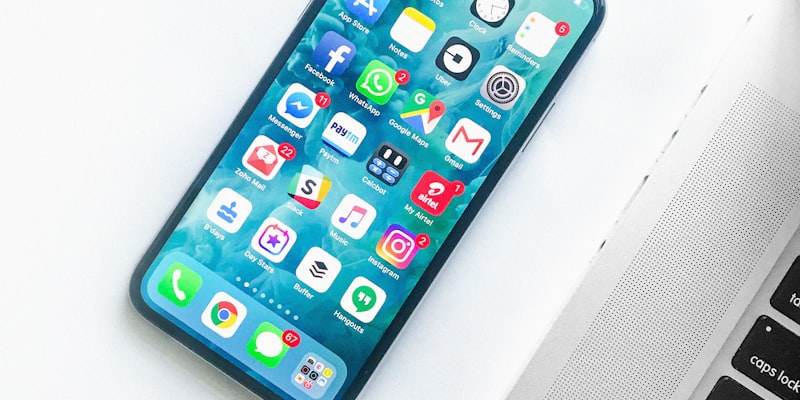
To choose the right phone for a senior in 2026, first ask yourself this question: do they only want to make calls or also use WhatsApp and the internet? The answer determines everything else.
Choosing a phone for yourself or a loved one can seem complicated. This guide explains everything in 5 minutes.
The Essentials Before You Buy
There are two main categories of phones suited to seniors:
1. Button phones (non-smartphones)
- Physical buttons, large and well-spaced
- Battery that lasts 5 to 7 days
- No internet or WhatsApp
- Price: between £25 and £70
- Ideal for: calls and texts only
2. Simplified smartphones
- Touchscreen with streamlined interface
- WhatsApp, video calls, photos possible
- Battery that lasts 1 to 2 days
- Price: between £80 and £350
- Ideal for: seniors who want to stay connected
The 5 Essential Criteria for Choosing
1. Text Size
Look for phones that display large text by default. On a smartphone, check that it has a simplified mode or an accessibility mode that automatically enlarges all text.
2. Button Size (Button Phones)
For a button phone, the buttons should be at least 1 cm x 1 cm. Avoid keyboards that are too small, as they are difficult to use with less agile fingers.
3. Speaker Volume
A good senior phone must have a loud maximum volume, for people with mild hearing difficulties. Some models are “HAC” certified (compatible with hearing aids).
4. The SOS Button
Many senior phones have an SOS button (often red, on the back). In case of a fall or emergency, it sends a message with your GPS position to your family. It is a very reassuring feature.
5. Battery Life
For a button phone: minimum 5 days. For a smartphone: minimum 1 full day.
Our Selection by Profile
For Seniors Who Only Want to Make Calls
Doro 6620 — around £45 — robust button phone with SOS button, large font and loud volume.
For Seniors Who Want WhatsApp and Video Calls
Samsung Galaxy A14 — around £130 — simple smartphone with Easy Mode (simplified interface in 3 clicks in settings), large buttons, big battery.
For Seniors Who Struggle with Small Details
Emporia SMART.5 — around £180 — smartphone designed exclusively for seniors, with physical side buttons and ultra-simplified interface.
Mobile Plans: What to Choose?
The phone is only half the equation. You also need a contract:
| Need | Type of Plan | Indicative Price |
|---|---|---|
| Calls + texts only | Basic plan without data | £5-10/month |
| Calls + occasional internet | 5-10 GB plan | £10-15/month |
| Regular internet use | 30-50 GB plan | £15-25/month |
Tip: Providers like EE, Vodafone and Three have physical shops with advisers who can help. Do not hesitate to visit a store — they can set up the phone on the spot.
How to Set Up the Phone After Purchase
Once you receive the phone, here are the 5 priority settings:
- Increase text size: Settings > Accessibility > Font size > Large or Very large
- Enable easy mode if available (Samsung: Settings > Easy Mode)
- Set up important contacts with their photos — it is easier to recognise who is calling
- Test the SOS button if there is one, and set up emergency numbers
- Write down the PIN code on paper and store it somewhere safe
Buying Safely
Always buy from an official shop or on Amazon.co.uk (check for the padlock icon in your browser). Be wary of prices that seem too good to be true on unknown websites.
If in doubt about a selling site, contact Action Fraud on 0300 123 2040 or visit actionfraud.police.uk before buying.
Questions fréquentes
-
The simplest phone depends on the person's level of experience. For someone who has never used a smartphone, a button phone with large keys (such as the Doro 6620) is ideal. For someone who wants a simplified smartphone, look at models with an easy mode like the Samsung Galaxy A14 with Easy Mode.
-
If the person wants to make video calls and use WhatsApp, a simplified smartphone is necessary. If they only want to make calls and send texts, a button phone is simpler and the battery lasts much longer (sometimes a week).
-
For basic usage (calls, texts), a plan at 5 to 10 pounds per month is sufficient. For a smartphone with internet, expect 10 to 20 pounds per month. Providers like EE, Three and Vodafone offer plans with in-store assistance.
-
The essential steps: 1) Increase the text size in accessibility settings. 2) Enable easy mode if available. 3) Set up important contacts with their photos. 4) Enable location sharing with a family member. 5) Write the PIN code on paper and keep it somewhere safe.
-
Yes! Many senior phones have an SOS button (often red) on the back. By pressing it, the phone automatically sends a message with your GPS position to your emergency contacts. It is a very reassuring feature for families.