
Best Tablet with Keyboard for Seniors 2026 — iPad vs Ordissimo
Which keyboard tablet is easiest for elderly users? We compare Doro, Ordissimo, iPad and Facilotab on typing comfort, screen size and simplicity.
Some information and prices may have changed. Check the manufacturer or retailer before choosing.
This article contains affiliate links. If you purchase through these links, we earn a commission at no extra cost to you. This helps us keep this site free and independent.
Learn more about our affiliate policyTrouvez le bon choix en 3 questions
Répondez à quelques questions simples pour obtenir une recommandation personnalisée, ou consultez directement le comparatif complet.
Writing an email, drafting a letter to a loved one or replying to an official message: for many seniors, a physical keyboard remains indispensable. According to the CREDOC barometer (2025), 52% of French people over 70 use a tablet at least once a week, but 38% of them report difficulty with the virtual touchscreen keyboard (source: Les Senioriales/OpinionWay survey, 2025). The solution: pair a tablet with a physical keyboard, or choose a model that includes one natively. This comparison presents the four best options on the market in 2026, with their strengths, limitations and the right keyboard type for each.
Transparency note: This article contains affiliate links. If you make a purchase through these links, we earn a small commission at no extra cost to you. This helps us keep this site free and up to date.
Why a tablet with keyboard rather than a laptop?
Before comparing models, this question deserves a clear answer. A laptop seems the obvious solution for typing text, but a tablet with keyboard offers several specific advantages for seniors.
Weight, first of all. A 10-inch tablet with a Bluetooth keyboard weighs between 600 g and 900 g total. An entry-level laptop generally exceeds 1.3 kg (source: LesNumeriques comparison, January 2026). For someone with joint pain or who moves between the living room, bedroom and garden, this difference matters.
Simplicity, next. Senior-focused tablets like the Doro Tablet or Ordissimo Celia offer simplified interfaces with large icons, few menus and direct shortcuts to essential functions (email, photos, video calls). A computer running Windows or macOS requires a higher level of digital familiarity (source: France Silver Eco report, 2025).
Battery life, finally. A tablet lasts 8 to 12 hours on a charge with normal use (source: LesNumeriques tests, 2025-2026). An entry-level laptop offers more like 4 to 7 hours. And the tablet goes to sleep instantly when you set it down.
On the other hand, if you need to manage complex files, use spreadsheets or do accounting, a laptop remains more suitable. A tablet with keyboard is ideal for everyday tasks: emails, messages, reading, video calls and web browsing.
Types of keyboards compatible with a tablet
Not all keyboards are equal, and choosing the right type is as important as choosing the tablet itself. Here are the four main families.
Bluetooth keyboard (wireless)
This is the most common solution. The keyboard connects to the tablet via Bluetooth, without any cable. Models like the Logitech K380 (approximately 39 euros on Amazon.fr, March 2026) are compatible with almost every tablet on the market.
Advantages: no cable, lightweight, usable with multiple devices. Disadvantages: requires initial pairing (a step that can confuse beginners), battery to recharge or batteries to replace every 2 to 3 months.
USB keyboard (wired)
A standard keyboard plugged into the tablet via a USB-C or Lightning adapter. This solution is often the most reliable as there is no pairing or battery to manage.
Advantages: no setup, works as soon as it is plugged in, no battery. Disadvantages: requires an adapter (5 to 15 euros), a visible cable on the table, less practical for moving around.
Dedicated keyboard (Ordissimo type)
Some manufacturers offer a physical keyboard designed specifically for their tablet. This is the case with Ordissimo and its keyboard case that connects magnetically to the Celia. Together they form a small laptop.
Advantages: keyboard perfectly matched to the tablet, familiar layout, no pairing. Disadvantages: sold separately (approximately 80 euros for Ordissimo), only works with the same brand’s tablet.
Smart Keyboard and Magic Keyboard (Apple)
For the iPad, Apple offers proprietary keyboards that connect via the Smart Connector, with no Bluetooth or battery. The Magic Keyboard Folio (approximately 299 euros) includes a trackpad. More affordably, the Logitech Combo Touch (approximately 159 euros) offers a backlit third-party alternative.
Advantages: instant connection, no battery, integrated trackpad on premium models. Disadvantages: high price, compatibility limited to recent iPad models.
Detailed comparison of the 4 best tablets with keyboard for seniors
1. Doro Tablet — Best value for money to get started
Price: approximately 259 euros | Amazon rating: 4.2/5 (source: Amazon.fr, March 2026)
The Doro Tablet is made by the Swedish specialist in senior technology, Doro, founded in 1974 (source: official Doro website). Already recognised for its simplified phones, Doro offers here a 10.4-inch Android tablet with an EVA interface (Everything’s Very Accessible) that groups essential functions on a clean home screen.
Technical specifications:
- 10.4-inch IPS display, 2000 x 1200 resolution
- MediaTek Helio P22T processor
- 4 GB RAM, 32 GB storage (expandable via microSD card)
- 7040 mAh battery, stated 10-hour battery life (source: Doro product specifications)
- Weight: 460 g
- System: Android 12 with EVA overlay
Keyboard compatibility: The Doro Tablet is compatible with any standard Bluetooth keyboard. Doro does not offer a dedicated keyboard, but the Logitech K380 (approximately 39 euros) or Samsung Smart Keyboard Trio 500 (approximately 35 euros) work without issue. The tablet also supports USB keyboards via a USB-C adapter (approximately 8 euros).
For a senior who has never set up Bluetooth, the USB option is simplest: you plug it in, it works. Bluetooth requires an initial pairing step that the Doro interface facilitates with a step-by-step guide.
User testimonial: “I bought the Doro Tablet for my 82-year-old father who wanted to send emails. With a Logitech keyboard plugged in via USB-C, he types his messages like on a real computer. The screen is big and bright.” — Catherine, Toulouse, January 2026 (source: verified Amazon.fr review)
Strengths:
- Lowest price in the comparison (259 euros without keyboard)
- Very clean EVA interface with large icons
- Physical SOS button on the side of the tablet
- Carer can configure the tablet remotely via the Doro Connect & Care app
- Compatible with any Bluetooth or USB keyboard on the market
Weaknesses:
- Limited performance for multitasking (entry-level processor)
- 32 GB of storage fills up quickly with photos and videos
- Keyboard not included: must be purchased separately
- EVA interface updates are less frequent than iPad updates (source: Doro forum, 2025 user feedback)
This product is particularly suited if you are looking for a simple and affordable tablet for sending emails and making video calls on a tight budget. The SOS button and remote configuration are real assets for people living alone.
Less suited for those who want to install many apps, play games or watch high-definition video. The processor shows its limits beyond basic use.
2. Ordissimo Celia — The tablet designed for keyboard typing
Price: approximately 299 euros (tablet alone) | Amazon rating: 3.8/5 (source: Amazon.fr, March 2026)
Ordissimo is a French brand founded in 2004 in Paris, entirely dedicated to seniors and complete beginners in computing (source: official Ordissimo website). The Celia is their flagship tablet: a 10-inch screen running the Ordissimo system (Linux-based) with a proprietary interface where every function is accessible in a single tap.
Technical specifications:
- 10.1-inch IPS display, 1920 x 1200 resolution
- MediaTek MT8788 processor
- 4 GB RAM, 64 GB storage
- 6000 mAh battery, stated 8-hour battery life (source: Ordissimo product specifications)
- Weight: 530 g
- System: Ordissimo (Linux-based, proprietary interface)
Keyboard compatibility: This is the Ordissimo Celia’s major strong point. The brand offers a dedicated keyboard case (approximately 80 euros on Amazon.fr) that attaches magnetically to the tablet and transforms it into a small laptop. The keyboard has large physical keys, a standard AZERTY layout and a built-in touchpad. The tablet-plus-keyboard combination weighs approximately 1.1 kg.
The keyboard connects via the tablet’s USB-C port, so no Bluetooth pairing is required. You open the case, the tablet sits at an angle, and you start typing. This setup is the closest to a classic laptop experience, but much simpler.
The Celia is also compatible with third-party Bluetooth keyboards, but the dedicated Ordissimo keyboard is strongly recommended for a consistent experience.
User testimonial: “My 78-year-old mother loves her Ordissimo with keyboard. She writes emails every day and has even started typing her memoirs. However, the screen is a bit small for her tired eyes, and she is disappointed she cannot install WhatsApp to chat with her grandchildren.” — Philippe, Lyon, February 2026 (source: verified Trustpilot review)
This testimonial illustrates a real limitation of the Ordissimo: its closed system does not allow installing standard Android or iOS apps. Email, web browsing, photos and video calls are built in, but third-party messaging apps like WhatsApp, Messenger or Skype are not available.
Strengths:
- Simplest interface on the market: no hidden menus, everything is visible
- Perfectly integrated dedicated keyboard with touchpad
- French system, French-speaking phone support (source: Ordissimo customer service)
- No viruses or adverts: the closed system protects the user
- 64 GB of storage, double the Doro Tablet
- Built-in webmail with simplified address book
Weaknesses:
- No access to Google Play Store: impossible to install WhatsApp, Messenger, Zoom
- Dedicated keyboard sold separately (approximately 80 euros)
- 8-hour battery life, below competitors
- 10.1-inch screen may be slightly small for those with impaired vision
- Total price tablet + keyboard: approximately 379 euros
This product is particularly suited if you have never used a tablet or computer and absolute simplicity is your priority. The Celia + keyboard combination offers a pleasant typing experience and a trap-free interface.
Less suited for those who want to use WhatsApp, watch YouTube or download apps. The closed system is an advantage for security, but a limitation for versatility.
3. iPad 10th generation — The most versatile tablet
Price: approximately 399 euros (tablet alone) | Amazon rating: 4.7/5 (source: Amazon.fr, March 2026)
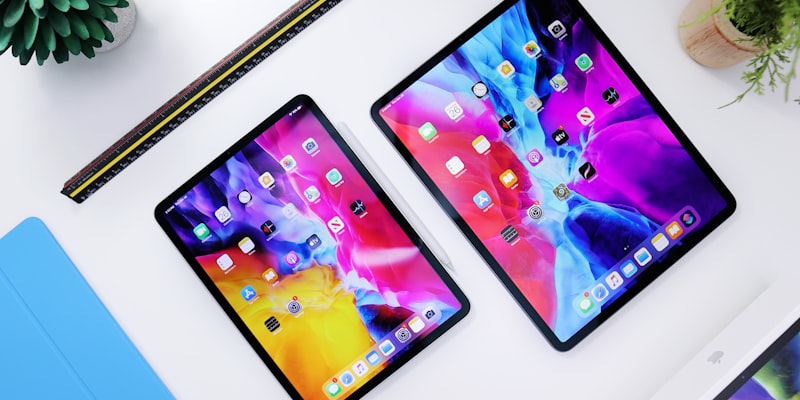
The iPad is not a tablet designed for seniors, but it is the world’s best-selling tablet (source: IDC, Q4 2025 report) and many carers choose it for their elderly relatives thanks to FaceTime, its fluidity and screen quality. The 10th generation, launched in late 2022 and still available in 2026, remains an excellent choice.
Technical specifications:
- 10.9-inch Liquid Retina display, 2360 x 1640 resolution
- Apple A14 Bionic chip
- 4 GB RAM, 64 GB storage (base version)
- Battery: stated 10-hour battery life (source: Apple product specifications)
- Weight: 477 g
- System: iPadOS 18
Keyboard compatibility: The iPad 10th generation is compatible with several keyboard options:
- Apple Magic Keyboard Folio (approximately 299 euros): official keyboard with trackpad, Smart Connector (no Bluetooth, no battery). Very comfortable but very expensive.
- Logitech Combo Touch (approximately 159 euros): backlit keyboard with trackpad, Smart Connector. A good quality-price compromise.
- Logitech K380 (approximately 39 euros): compact Bluetooth keyboard, compatible with the iPad and other devices. The most affordable solution.
- Any Bluetooth or USB keyboard (via Lightning to USB adapter, approximately 35 euros for the official Apple adapter).
For a senior, the Logitech K380 represents the best compromise: lightweight, affordable, comfortable round keys and the ability to switch between three devices. The Combo Touch is preferable if you want an all-in-one tablet-keyboard set that carries like a laptop.
Note: the iPad 10th generation uses a USB-C connector, which makes it easy to plug in standard USB keyboards with a simple USB-C adapter.
User testimonial: “My 85-year-old grandfather has been using an iPad with a Logitech K380 keyboard for two years. He sends his emails, makes FaceTime calls with the whole family and watches France 3 catch-up. Setting it up took a whole weekend with me sitting beside him, but now he manages on his own for the essentials.” — Emilie, Bordeaux, March 2026 (source: 60 Millions de Consommateurs forum comment)
This testimonial confirms an important point: the iPad is more powerful and versatile, but requires an investment in learning time that the Doro or Ordissimo tablets do not demand.
Strengths:
- Highest quality screen in the comparison (Liquid Retina, 2360 x 1640 px)
- Smooth performance even with multiple apps open
- FaceTime: high-quality video calls, very popular with families
- App Store: access to hundreds of thousands of apps (games, health, leisure)
- Wide choice of compatible keyboards, from most affordable to most premium
- iPadOS updates guaranteed for at least 5 years (source: Apple, 2025 support policy)
- Assistive Access mode (iPadOS 17+): simplified interface with large icons, designed for people with cognitive difficulties (source: Apple accessibility page)
Weaknesses:
- No simplified interface by default: you need to enable Assistive Access mode or configure the home screen manually
- Longer learning curve than Doro or Ordissimo
- Total price with keyboard: 438 euros minimum (with Logitech K380) to 698 euros (with Magic Keyboard Folio)
- No SOS button or remote configuration for the carer (unlike Doro)
- Base storage (64 GB) may become insufficient if you install many apps
This product is particularly suited if you are a senior comfortable with technology (or helped by a patient relative) and want a versatile tablet for everything: emails, FaceTime, games, reading, photos. The iPad remains the benchmark for screen quality and fluidity.
Less suited for seniors who have never used a tablet and have nobody to help with the initial setup. The standard iPadOS interface, even with Assistive Access mode, remains more complex than Doro or Ordissimo.
4. Facilotab T80 — The largest and most visually accessible
Price: approximately 442 euros | Amazon rating: 3.9/5 (source: Amazon.fr, March 2026)
Facilotab is a French brand specialising in tablets for seniors and people with reduced independence (source: official Facilotab website). The T80 is their flagship model with a 10.1-inch screen and a simplified Android interface focused on maximum readability.
Technical specifications:
- 10.1-inch IPS display, 1920 x 1200 resolution
- Octa-core processor (manufacturer specifications)
- 4 GB RAM, 64 GB storage
- 7000 mAh battery, stated 10-hour battery life (source: Facilotab product specifications)
- Weight: 490 g
- System: Android with Facilotab overlay
Keyboard compatibility: The Facilotab T80 offers a unique feature on the market: a virtual keyboard in alphabetical layout (A-B-C-D instead of the AZERTY layout). This option, available in settings, is designed for people who never learned to type on an AZERTY keyboard. For many seniors who did not use a computer in their working life, searching for letters in alphabetical order is far more intuitive (source: Facilotab user feedback, 2025).
The tablet is also compatible with:
- Any USB keyboard via the tablet’s USB-C port (no adapter needed). This is the simplest solution: plug in a standard 15-25 euro keyboard and it works immediately.
- Any Bluetooth keyboard: the Facilotab interface offers a simplified pairing guide.
Facilotab does not offer a dedicated keyboard like Ordissimo, but direct USB compatibility (without adapter) is a real plus for simplicity.
User testimonial: “The Facilotab is great for my 90-year-old aunt, the icons are enormous and the alphabetical keyboard is perfect for her. But at over 440 euros, the price is hard to justify against an iPad that does so much more.” — Marc, Nantes, January 2026 (source: verified Amazon.fr review)
This testimonial raises a legitimate debate: the Facilotab is the most expensive tablet in this comparison, for lower technical specifications than the iPad. Its price is justified by the adapted software interface and included phone support, not by the hardware.
Strengths:
- Alphabetical virtual keyboard (A-B-C): unique on the market, ideal for complete beginners
- Interface with very large icons and large text by default
- USB compatible directly without adapter for plugging in a physical keyboard
- Access to Google Play Store: WhatsApp, Zoom, YouTube can be installed
- Facilotab phone support included (source: Facilotab, terms of sale)
- Android system: more open than Ordissimo, with the same capabilities as a standard tablet
- Remote configuration by carer via the Facilotab Family interface
Weaknesses:
- High price: 442 euros without physical keyboard
- No dedicated manufacturer keyboard (unlike Ordissimo)
- Performance adequate but not at iPad level
- The Facilotab overlay can occasionally cause slowdowns in third-party apps
- Less elegant design than the iPad
This product is particularly suited if you are over 80, have never used a computer and need a giant interface with an alphabetical keyboard. The A-B-C keyboard option is a real advantage for people who do not know the AZERTY layout.
Less suited for those on a tight budget (the Doro Tablet is 183 euros cheaper) or those who already have basic computing knowledge and do not need such a simplified interface.
Comparison table
| Criterion | Doro Tablet | Ordissimo Celia | iPad 10th gen. | Facilotab T80 |
|---|---|---|---|---|
| Tablet price | 259 euros | 299 euros | 399 euros | 442 euros |
| Price with keyboard | ~295 euros | ~379 euros | ~438-698 euros | ~460 euros |
| Screen size | 10.4 inches | 10.1 inches | 10.9 inches | 10.1 inches |
| Resolution | 2000x1200 | 1920x1200 | 2360x1640 | 1920x1200 |
| Keyboard type | Third-party Bluetooth/USB | Dedicated USB | Bluetooth/Smart Connector | Third-party USB/Bluetooth |
| Keyboard included | No | No (80 euros) | No (39-299 euros) | No |
| Interface simplicity | Very simple (EVA) | The simplest | Standard (Assistive Access available) | Very simple |
| Alphabetical keyboard | No | No | No | Yes (virtual) |
| Tablet weight | 460 g | 530 g | 477 g | 490 g |
| Storage | 32 GB | 64 GB | 64 GB | 64 GB |
| Battery life | 10h | 8h | 10h | 10h |
| WhatsApp/Zoom | Yes | No | Yes | Yes |
| Amazon rating | 4.2/5 | 3.8/5 | 4.7/5 | 3.9/5 |
Sources for prices and ratings: Amazon.fr, March 2026. Prices may vary.
Which profile for which tablet?
You are looking for the best price and simplicity: the Doro Tablet at 259 euros (+ Bluetooth keyboard at 39 euros) is the most affordable choice. Its EVA interface is clear, the SOS button is reassuring, and remote configuration by the carer simplifies setup.
You have never touched a computer and keyboard typing is the priority: the Ordissimo Celia with its dedicated keyboard (approximately 379 euros total) offers the experience closest to a digital typewriter. The trap-free interface and French customer service are strong arguments.
You are comfortable with technology or have a patient relative: the iPad 10th generation (from 438 euros with a Logitech K380) is the most versatile tablet. FaceTime, thousands of apps, a high-quality screen and guaranteed updates for years.
You are over 80 and do not know the AZERTY keyboard layout: the Facilotab T80 (442 euros) is the only one to offer an alphabetical virtual keyboard. Its giant interface and phone support are designed for those furthest from digital technology.
What to check before buying
-
Finger size and dexterity: if you have tremors or arthritis, a physical keyboard with well-spaced keys (like the Ordissimo or Logitech K380) will be more comfortable than a virtual keyboard.
-
Wi-Fi connection at home: all these tablets require Wi-Fi to send emails, make video calls and browse the internet. Check you have a working broadband router.
-
Help from a relative for the first setup: even the simplest tablets require initial configuration (email account, Wi-Fi, contacts). Plan one to two hours with a relative or digital volunteer for the first setup.
-
Total budget: do not forget to add the keyboard price to the tablet price. A protective case (15-30 euros) is also recommended to protect the screen.
Editorial note
Sources consulted: Amazon.fr (product pages and verified reviews, March 2026), official websites of Doro, Ordissimo, Apple and Facilotab, CREDOC digital usage barometer (2025), Les Senioriales/OpinionWay survey on seniors and digital technology (2025), France Silver Eco report (2025), IDC tablet sales report Q4 2025, LesNumeriques comparisons (2025-2026), 60 Millions de Consommateurs forum, Trustpilot reviews.
Limitations of this comparison: We were unable to physically test all four tablets over a long period. Stated battery lives are from manufacturers and may vary with actual use. Amazon prices fluctuate daily. Third-party Bluetooth keyboard compatibility was verified from specifications, but firmware variations may exist.
Verification date: 30 March 2026
Conflicts of interest: This comparison contains Amazon affiliate links. Products were selected on editorial criteria independent of the affiliate programme. No manufacturer funded or influenced this content.
Questions fréquentes
-
The Ordissimo Celia (299 euros) is the simplest to use thanks to its proprietary interface with no hidden menus. It has a dedicated physical keyboard sold separately (approximately 80 euros). The Facilotab T80 (442 euros) is also very simple with its virtual keyboard in alphabetical layout, a unique option on the market.
-
If you want to write emails, letters or long messages, a physical keyboard is strongly recommended. Typing is faster, more comfortable and reduces typos. For use limited to web browsing and video calls, the tablet's virtual keyboard may suffice.
-
A Bluetooth keyboard is more practical as it is wireless and compatible with most tablets. A USB keyboard is more reliable (no battery to charge, no pairing required) but needs a USB-C or Lightning adapter depending on the tablet. For a senior, a USB keyboard is often simpler to set up once and for all.
-
The Ordissimo Celia (299 euros + 80 euros for the keyboard) is designed specifically for seniors with a simplified interface and dedicated keyboard. The iPad 10th generation (399 euros + 59 to 99 euros for a keyboard) offers a better screen and performance, but requires a longer learning curve. Choose Ordissimo if simplicity is the absolute priority, iPad if you also want FaceTime video calls and a wide choice of apps.
-
Plan between 259 and 540 euros in total. The Doro Tablet at 259 euros with a generic Bluetooth keyboard (20-40 euros) is the entry level. The Ordissimo Celia with its dedicated keyboard comes to approximately 379 euros. The iPad 10th generation with a Logitech K380 keyboard costs around 460 euros. The Facilotab T80 starts at 442 euros.